
 English
Try our other tools
Free AI Handwritten Signature Generator
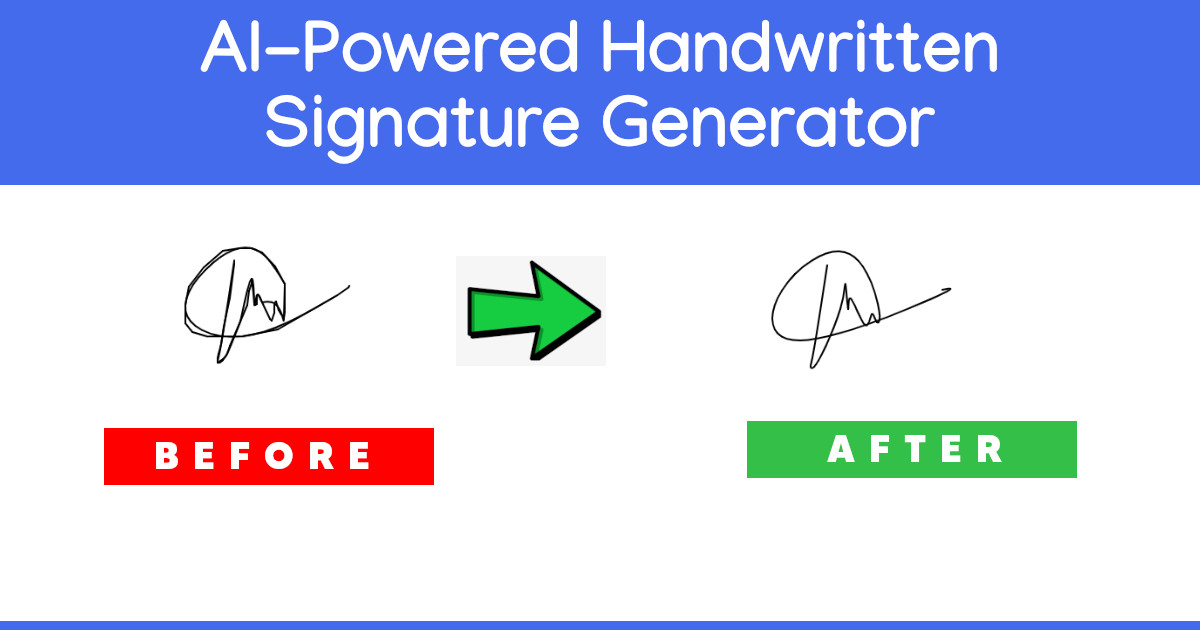
| Feature | Traditional Handwritten Signature Generator | Free AI Handwritten Signature Generator – COMPROMATH AI |
|---|---|---|
| Signature Creation Method | Uses predefined fonts and styles to simulate handwritten signatures. | Uses AI to enhance raw handwritten input, personalizing and refining the signature for a more authentic feel. |
| Customization Options | Limited to font selection, size, and basic color options. | Offers advanced customization like pen color, stroke width, height, canvas background, and signature style. |
| Personalization | Low personalization; signatures may look generic. | High personalization; signatures are based on the user’s actual handwritten input, making each signature unique. |
| Output Quality | Standard quality, may not always resemble actual handwriting. | High-quality output that closely resembles an authentic signature, enhanced by AI. |
| Technology Used | Uses standard programming and static fonts to create signatures. | Uses AI-powered technology to analyze and transform handwritten input into refined digital signatures. |
| Accessibility | Accessible but less advanced in terms of features and flexibility. | Highly accessible with advanced features for both casual users and professionals needing refined signatures. |
| Toolbox Features | Minimal features like font selection and basic formatting. | Comprehensive toolbox with options for pen color, canvas resizing, background color, clearing the canvas, and downloading. |
How to Use AI Signature Generator
Pen Color
Click on the pen icon in the toolbox to adjust the pen color. A popup will appear allowing you to select a color from a color picker.
Canvas Adjust
Use the second icon to modify the canvas dimensions. You can resize the signature pad according to your needs.
Canvas Background Color
Click the background color icon to change the canvas background. A color picker will allow you to choose a new color.
Clear Canvas
If you need to start over, click the trash icon to clear the current canvas and begin a new signature.
Download
Once you're satisfied with your signature, click the download icon to generate and save your signature image.
Why choose this AI signature generator?
Authenticity
Preserve the unique elements of your hand-drawn signature, capturing the essence of your personal style.
User-Friendly
Intuitive interface makes it easy for anyone to create their signature without artistic skills.
Versatility
Seamless integration into any digital context with customizable size and placement.

Albert Einstein


John F. Kennedy


Marilyn Monroe


Martin Luther King Jr.


Steve Jobs


Napoleon Bonaparte


William Shakespeare


Elvis Presley


Muhammad Ali


Mother Teresa

Frequently Asked Questions
An AI handwritten signature generator improves a hand-drawn signature or turns typed text into a handwritten-style PNG. COMPROMATH offers a free AI signature generator, a hand drawn signature generator, and text-to-signature — no account required.
An AI transparent background signature generator creates a digital signature with a transparent background. This ensures your signature can seamlessly blend onto any background without a white or colored box around it.
Yes. This handwritten signature generator is free: no subscription, no account, and no credit card. You can create a handwritten signature with AI and download a PNG.
To use the AI handwritten signature generator, follow these steps:
- Pen Color: Click the pen icon in the toolbox to adjust the pen color. A color picker popup will allow you to select your desired color.
- Canvas Adjust: Use the second icon to resize the canvas. Adjust the signature pad dimensions according to your preferences.
- Canvas Background Color: Click the background color icon to change the canvas background. A color picker will help you choose the perfect background color.
- Clear Canvas: Need to start over? Click the trash icon to clear the current canvas and start fresh.
- Download: Once your signature is ready, click the download icon to save your signature image as a PNG file.
Yes. The tool does not store or share your signatures with third parties.
It depends on the legal requirements of your region. AI-generated electronic signatures are often legally binding, but consult a legal professional to confirm compliance with your jurisdiction's laws.
No, there is no limit. You can generate as many AI-powered signatures as you need to achieve your desired result.
Yes. The handwritten signature generator works on phones and tablets with internet access, including Android.
Free AI handwritten signature generator from COMPROMATH. Draw, type your name, or use calligraphy-style fonts and download a PNG.
Copyright ©2016-2026, COMPROMATH.

 Español
 Deutsch
 Français
 Italiano
 日本語
日本語